
How to Update Safe Workspace Settings
This article reviews which Settings fields have a visible Save control, and explains why no save action was performed during this capture. The workspace observed was a live operator workspace rather than a disposable demo, so every editable field found (business identity, address, and the sales tax rate) carries real significance if changed, and none qualified as a safe, cosmetic, reversible example.
Who this is for: Owners or staff who need to know where Save controls exist before using them in an approved disposable workspace.
Before you begin
Section titled “Before you begin”- An active operator session with visibility into the Configuration group.
-
Open Settings from the Configuration group.
-
Scroll to the sales tax panel under Module Settings and note the Default Sales Tax Rate field and its Save button.
-
Read the helper text under the field, which states the change affects future estimate calculations only and does not alter already-finalized estimates.
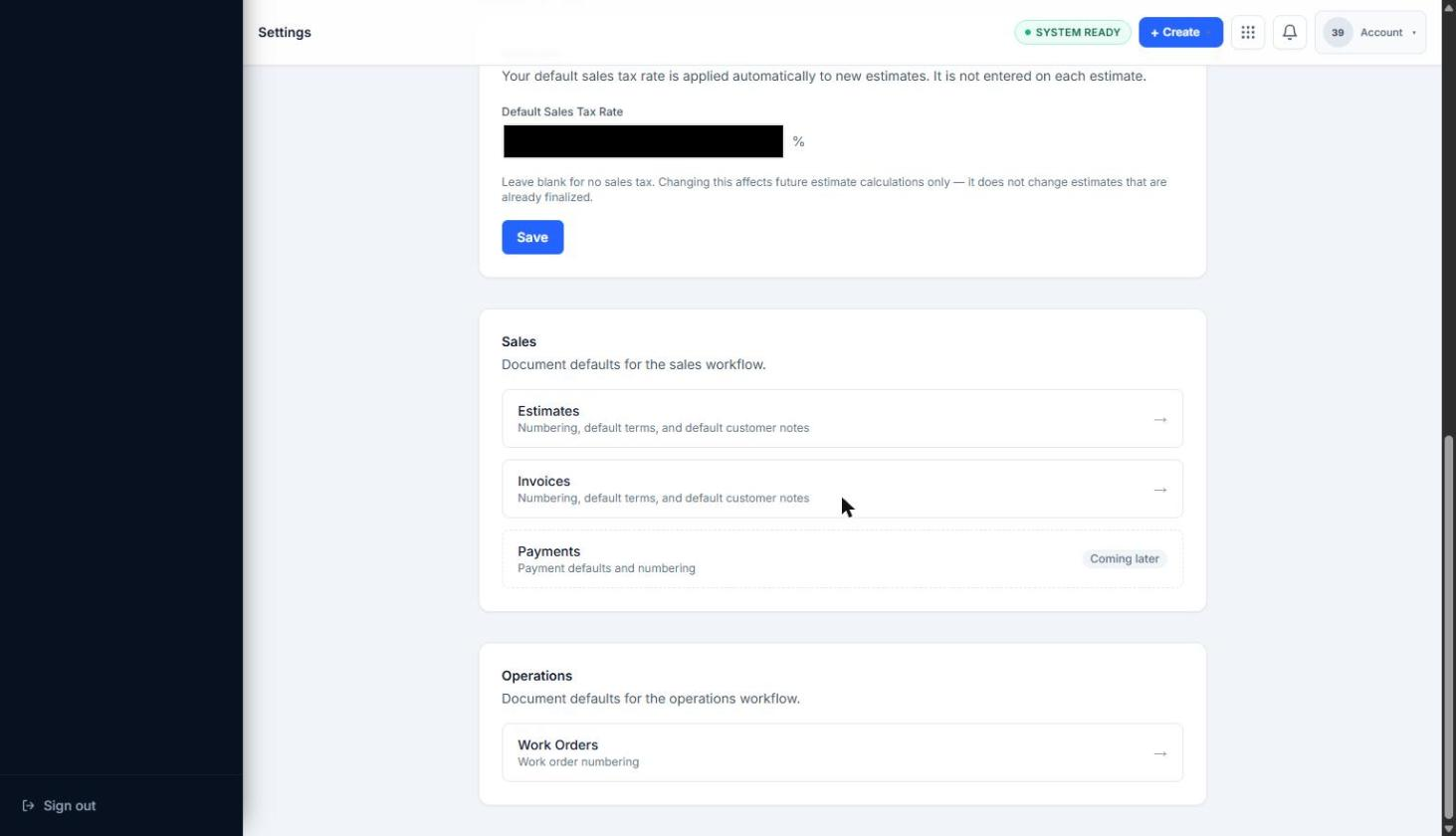
Editable field with a visible Save control, reviewed but not saved.
-
Open Profile under Organization Settings and note that business identity and address fields share a Save control on the form.
-
Do not select any Save button unless working in a disposable, synthetic workspace created specifically for that purpose.
Expected result
Section titled “Expected result”The operator understands which fields are editable and saveable, and understands that this batch intentionally stopped short of saving any of them.
Verified portion
Section titled “Verified portion”- Save controls are visible
- Default Sales Tax Rate field is visible
- Profile Save control is visible
- Helper text about future estimate calculations was observed
Unverified portion
Section titled “Unverified portion”- Safe update was not performed
- Settings update effects are not verified
- Tax/default behavior after save is not verified
- Post-save behavior of any Settings field is not verified
Warnings and notes
Section titled “Warnings and notes”- Do not update tax rates, business identity, address, phone, email, or website fields on a real workspace as part of a documentation exercise.
- Do not update banking information, payment processor settings, billing plan, authentication settings, domains, public URLs, email sender domains, or permissions.
- This article does not claim that settings were updated.