
Understanding Work Orders
A Work Order represents a job to be performed at a customer’s property. It is created from an Approved Estimate and tracks the work from scheduling through completion.
Who this is for: Owners or staff who open and manage Work Orders after an estimate is approved.
Before you begin
Section titled “Before you begin”- Access to the Work Orders area of your workspace.
-
A Work Order links a customer, a service location, and the line items carried over from an Approved Estimate.
-
The Work Order moves through a defined set of statuses as the job progresses. After the work is complete, billing may follow as a separate workflow.
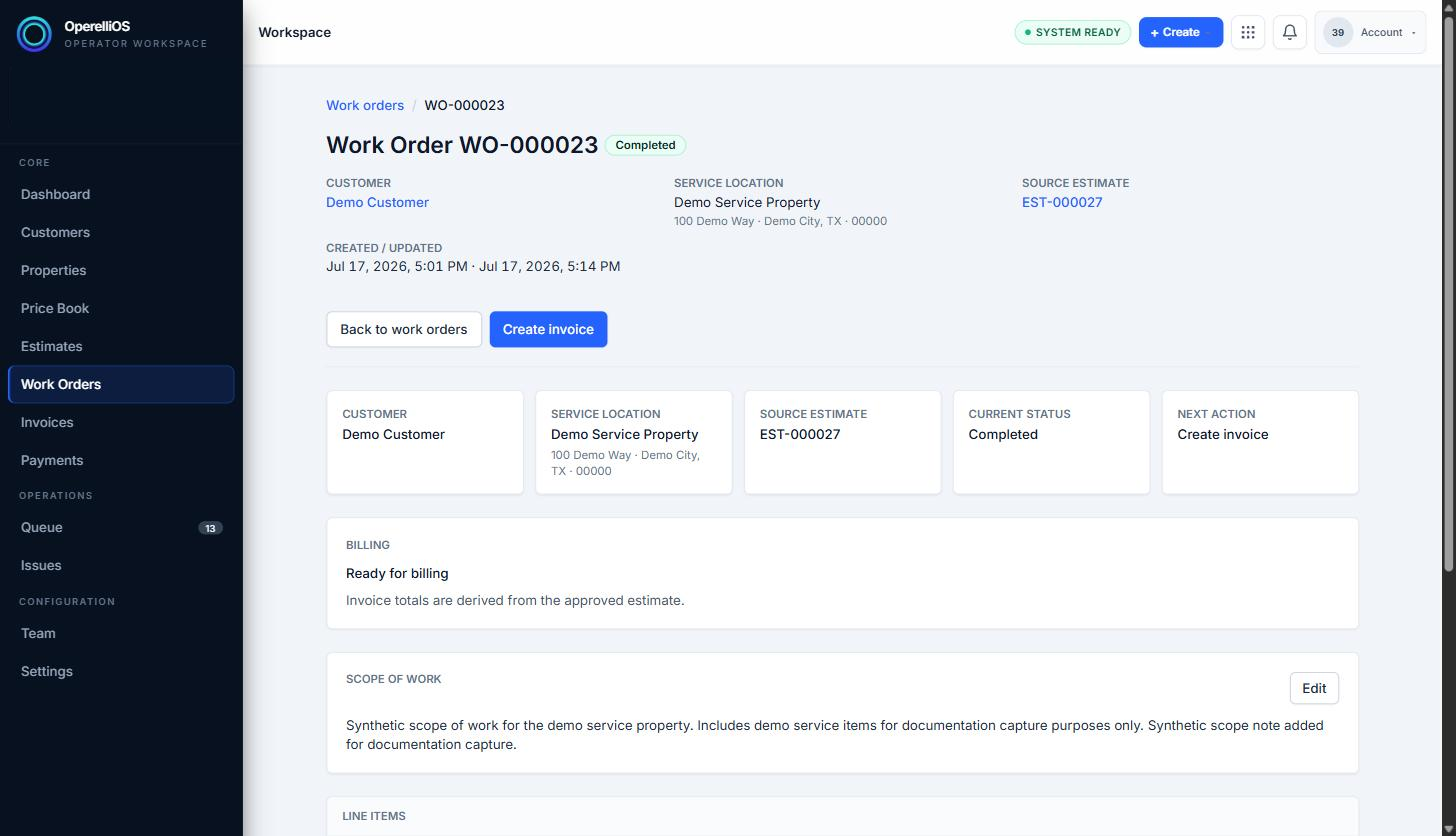
The detail view of a synthetic Work Order shows the customer, property, source Estimate, and current status.
Expected result
Section titled “Expected result”You understand that a Work Order is the operational record that follows an Approved Estimate and connects customer, property, and carried-over line items through delivery.
Warnings and notes
Section titled “Warnings and notes”- This article gives a general orientation only. It does not document Invoice or Payment behavior; those workflows will be documented in their own Help categories.
- AI does not control Work Order state, scheduling, assignment, completion, pricing, Invoice totals, or Payment state. Deterministic product logic owns financial truth.