
Understanding Invoices
An Invoice is the billing record that follows a completed Work Order. It captures who owes money, for what property, for which line items, and how much is due. When created from a Work Order, it carries references to the source Estimate and Work Order.
Who this is for: Owners or staff who review billing records before issuing them.
Before you begin
Section titled “Before you begin”- Access to the Invoices area of your workspace.
- A completed Work Order (or another governed next action that produces an Invoice) to review.
-
An Invoice bills a specific customer for a specific service property. When created from a Work Order, the Invoice shows the source Estimate, source Work Order, and an origin label such as From work order.
-
A new Invoice starts in Draft before it is issued. While it remains a Draft, you can review details and adjust the due date. After it is issued, Payment workflows are separate and are not documented in this Help category.
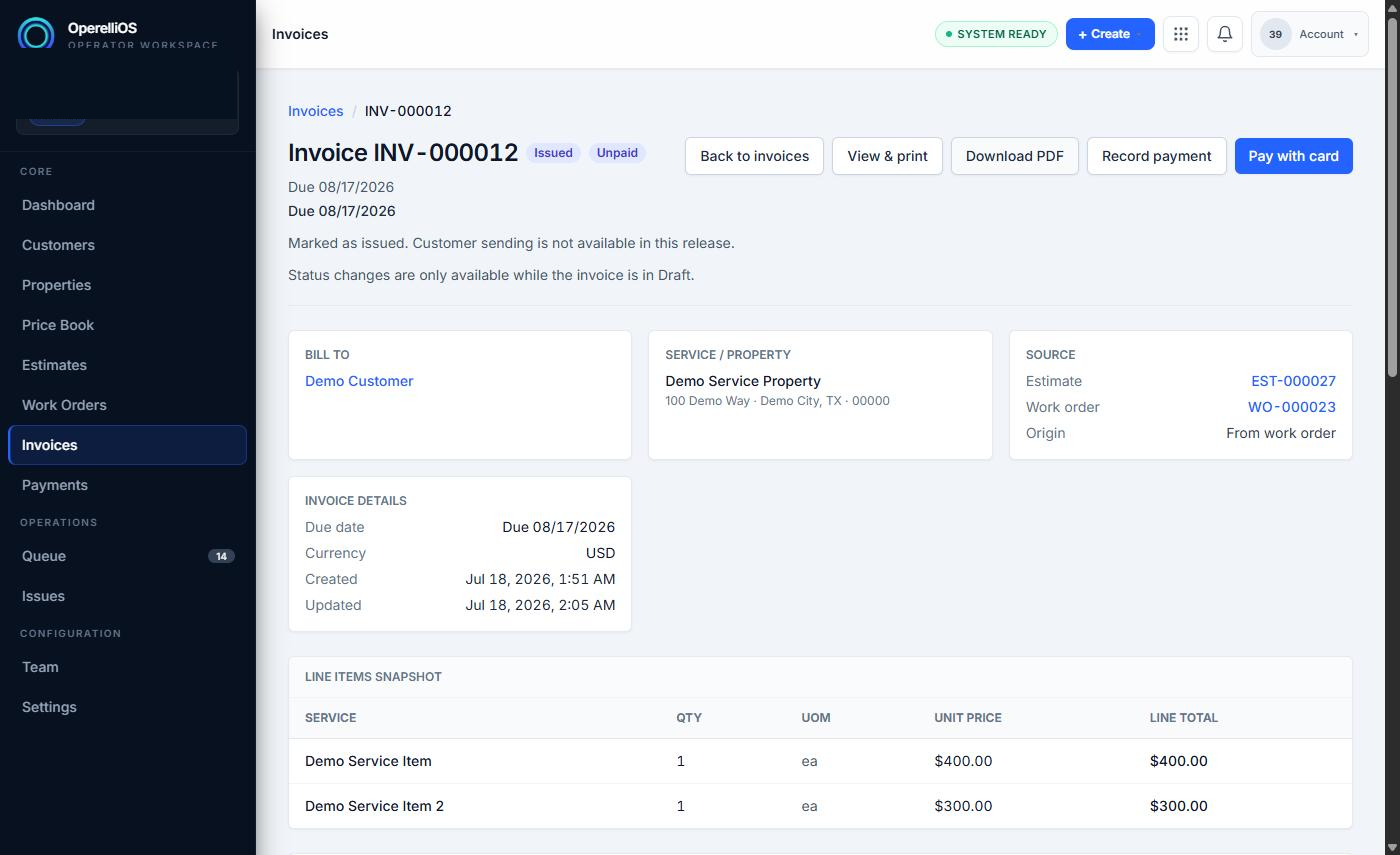
The detail view of a synthetic Invoice shows customer, property, source Estimate and Work Order, status, and line items.
-
The Invoice contains an invoice number, bill-to customer, service property, source references, invoice details (due date, currency, created/updated timestamps), a line-items snapshot, a financial snapshot (subtotal, tax, total, paid, balance due, payment status), a payment history panel, notes and terms, and attachment controls.

Bill To, Service/Property, and Source cards on a synthetic Invoice.
Expected result
Section titled “Expected result”You understand that an Invoice is the billing record tied to the correct customer, property, and (where applicable) source Estimate and Work Order, ready for review before being issued.
Warnings and notes
Section titled “Warnings and notes”- This article does not claim automatic accounting synchronization, automatic payment collection, automatic tax compliance, autonomous invoice creation, or AI-controlled invoice totals.
- Payment recording and payment processing are documented separately. This Help category does not cover recording a payment, processing a card or ACH payment, refunds, or reconciliation.
- Invoice financial values (totals, taxes, balance due) are computed by deterministic OperelliOS finance logic. The AI assistant on the Invoice view is advisory only: it does not calculate or own these figures, and cannot mark an invoice paid, record a payment, or export to accounting.