
How to Create an Invoice
Create an Invoice from a completed Work Order. When a Work Order reaches the Completed status, its detail view shows a Create invoice action that generates a new Draft Invoice pre-filled from that Work Order.
Who this is for: Owners or staff who start billing after work is complete.
Before you begin
Section titled “Before you begin”- A Work Order in the Completed status.
- Permission to view the Work Order and access the Invoices area.
-
Open a Work Order that is in the Completed status. Confirm the customer, service property, and source Estimate shown on the Work Order.
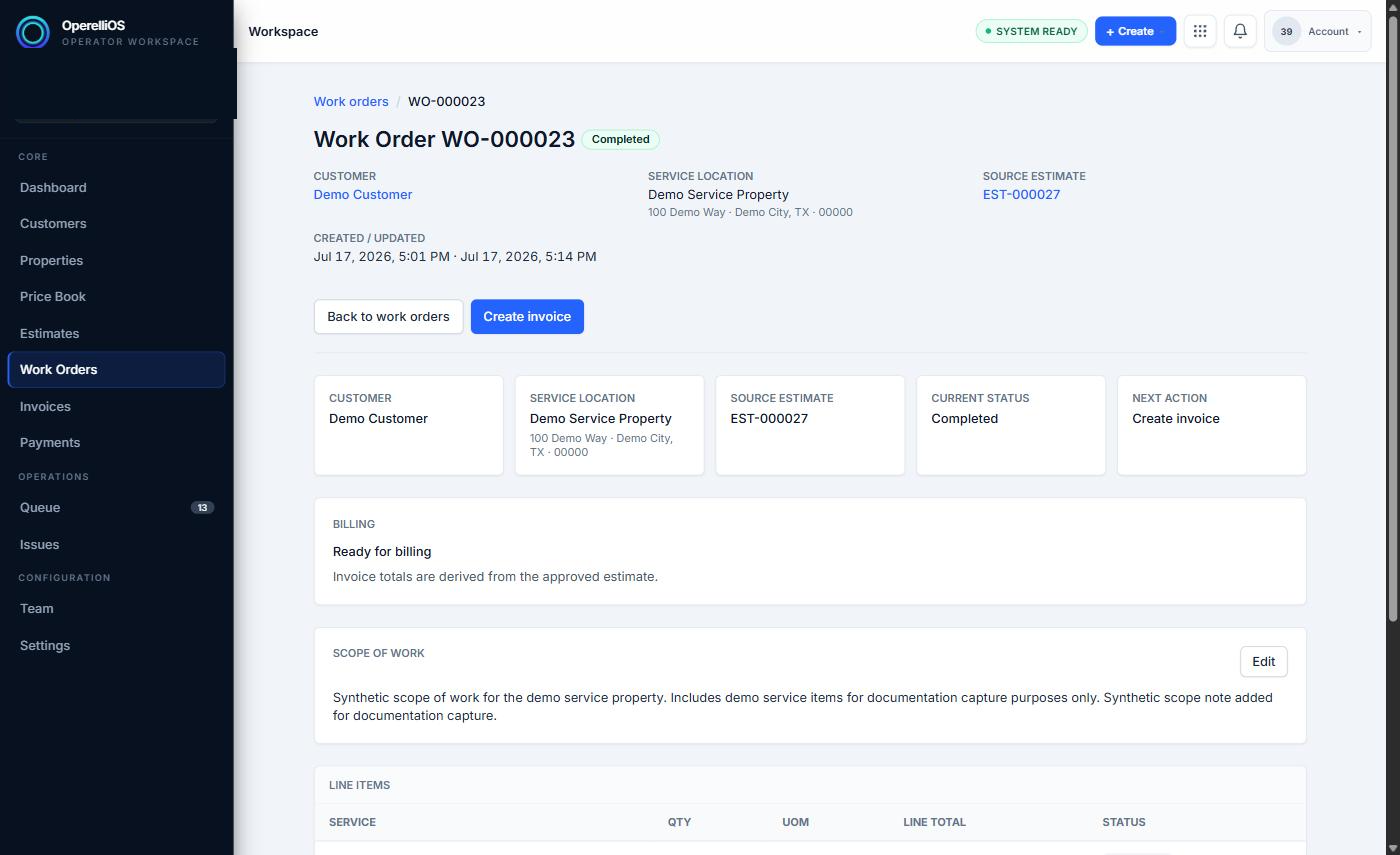
A completed Work Order shows the Create invoice action when it is ready for billing.
-
Select Create invoice.
-
Review the new Invoice: Bill To customer, Service/Property, and the Source panel (originating Estimate and Work Order, labeled From work order).
-
Review the line items snapshot carried over from the Work Order, including service name, quantity, unit of measure, unit price, and line total.
-
Review Invoice Details (due date initially unset, currency, created/updated timestamps). The Invoice is saved automatically as a Draft as soon as it is created; no separate save step is required to persist it.
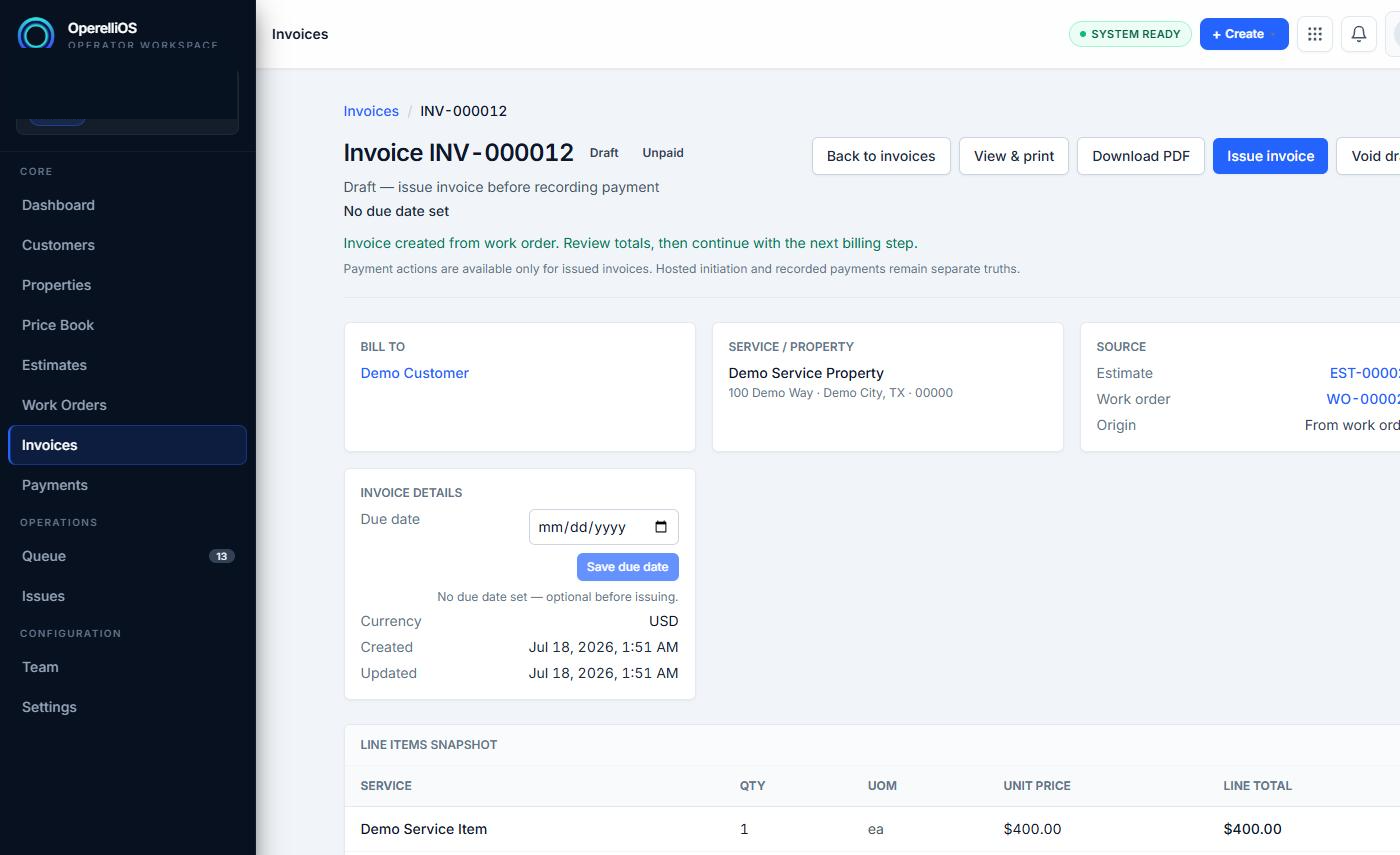
A newly created Invoice in Draft status immediately after creation from a Work Order.
Expected result
Section titled “Expected result”A new Invoice in the Draft status, linked to the correct customer, property, source Estimate, and source Work Order, with line items carried over and a financial snapshot (subtotal, tax, total, balance due) already calculated.
Warnings and notes
Section titled “Warnings and notes”- This article documents only the creation path directly observed: creating an Invoice from a Completed Work Order.
- Creating an Invoice directly from the Invoices area (New invoice), importing invoices, and creating an Invoice from an approved Estimate directly were not exercised in this capture and are not described as verified.
- Creating an Invoice does not record a Payment and does not mark the Invoice paid.
- Do not create multiple invoices for the same synthetic Work Order; one Invoice per completed Work Order is the expected pattern documented here.