
Customer Records Overview
Learn what information a customer record holds and how it connects to other work in OperelliOS.
Who this is for: Owner, Office Manager.
Before you begin
Section titled “Before you begin”This article is a reference. It explains what you’ll see on a customer profile rather than walking through a task.
Identity and contact information
Section titled “Identity and contact information”Every customer record has a customer type (Individual or Business), a display name shown on estimates and documents, and primary contact details: contact name, email, and phone.
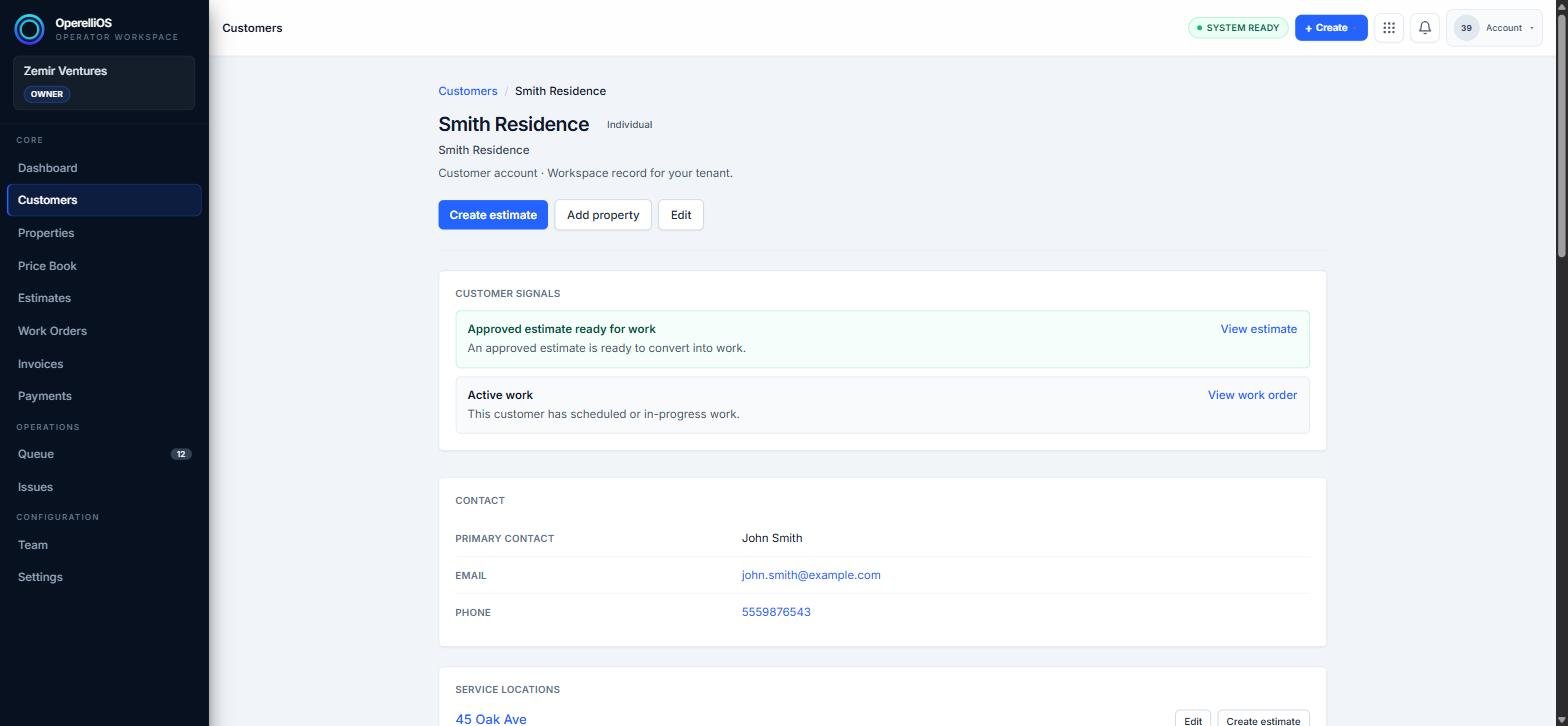
The top of a customer profile, showing identity and contact information.
Linked service locations
Section titled “Linked service locations”Below the contact details, the profile lists every property associated with this customer, so you can start an estimate for a specific address without re-entering it.
Related estimates and work activity
Section titled “Related estimates and work activity”The profile also surfaces estimates and quotes tied to this customer, along with any related work orders, so you can see the customer’s history in one place.
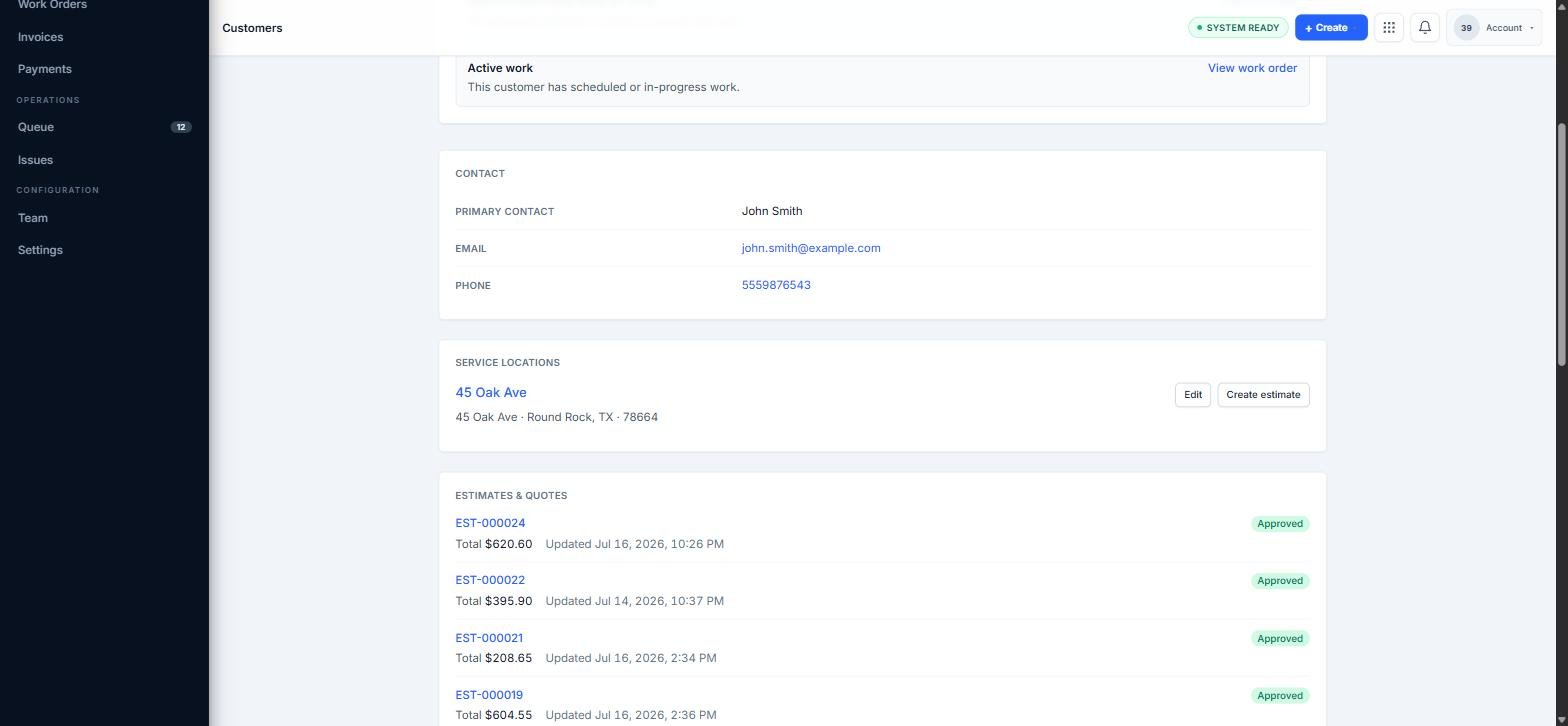
Service locations and estimates & quotes sections on a customer profile.
Expected result
Section titled “Expected result”You can identify a customer’s contact details, service locations, and related activity from a single profile page.
Common issues
Section titled “Common issues”A section looks empty
Sections such as service locations or estimates only appear populated once related records exist for that customer.